UI Packs
Neon Modals
15 low-poly modal dialogs and system notices for dark interfaces — deep space blue with cyan accents. SVG plus transparent PNG at 1x, 2x and 4x.
About this pack
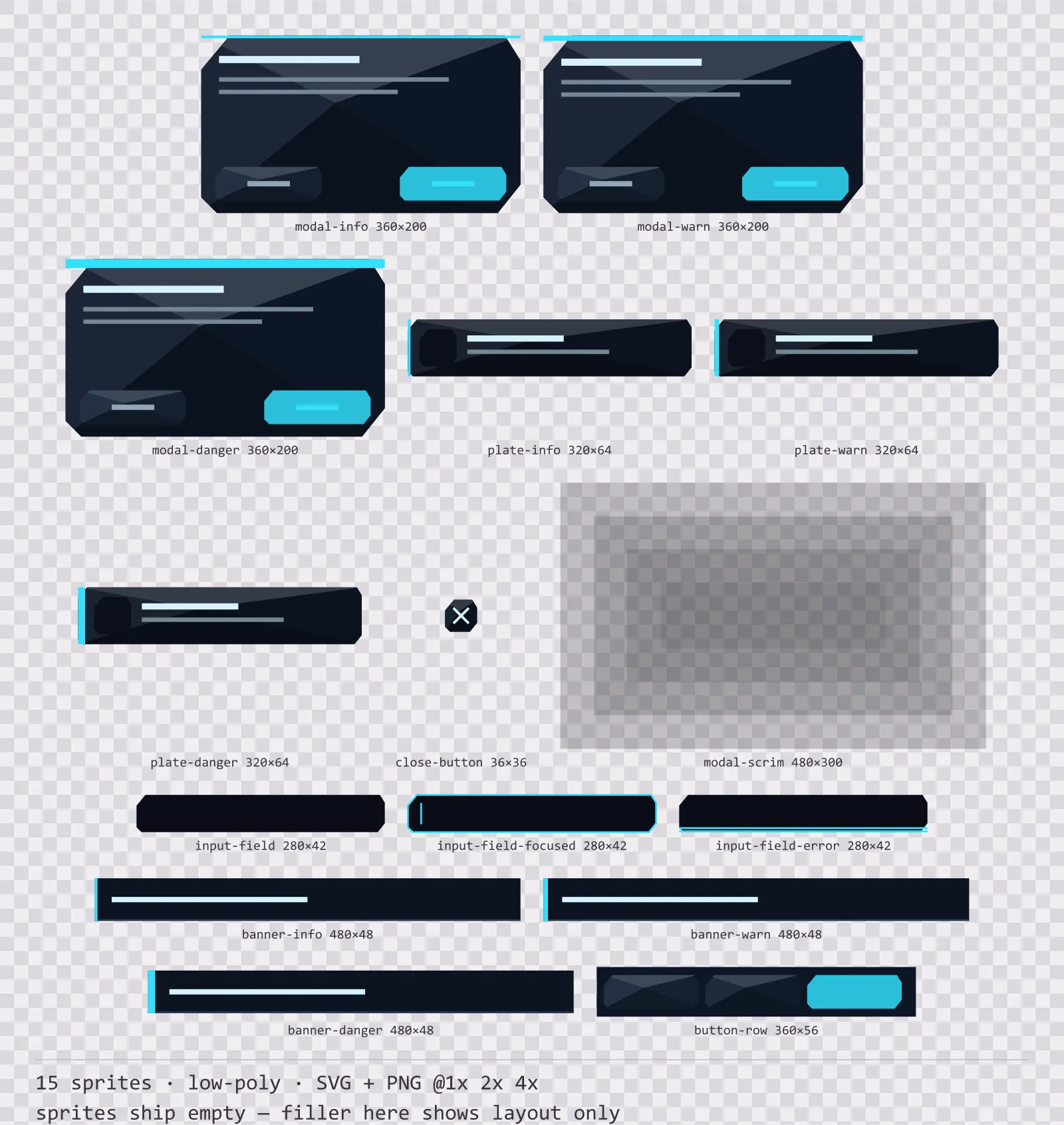
Neon Modals is a set of 15 modal dialogs and system notices drawn in the low-poly style, where the silhouette is an angular polygon and the face is split into flat triangles. It contains three modal dialogs at rising severity, three system plates and three system banners, a three-button footer row, a close button, a layered backdrop scrim and a plain, a focused and an error input field.
A modal is not a panel: it stops the game, waits for an answer, and sometimes the answer cannot be undone. The usual way to say that is a red border, which collides with the health colour already on screen and disappears the moment a developer retints the kit to their own palette.
Four triangles meet off-centre and each carries its own flat tone, which is exactly how a faceted mesh shades. There are no curves anywhere in the kit and no gradient on any facet.
Inside that style this is the Neon reading of it: a dark interface on a deep space blue palette with cyan accents, built around four corner brackets in place of a closed border, chamfered buttons at 144x36, hollow-cored bars divided into 12 segments, and two-tone icons on a 32px grid. Those measurements are why two families can share an art style without being interchangeable: the style decides how an edge is drawn, the numbers decide what the interface is for.
Severity is carried by the thickness of the strip along the top edge rather than by its hue, three pixels for a notice, six for a warning and ten for something destructive, so it survives any tint and any greyscale screenshot. The button positions are fixed and deliberate: cancel sits left and raised, the committing action sits right and recessed. That ordering becomes muscle memory across a game, and a kit that varies it is how a player deletes a save by reflex. The scrim is four stacked steps rather than one even wash, because a single black sheet over the whole screen kills the art it is dimming.
Every sprite ships as an editable SVG and as transparent PNG at 1x, 2x and 4x, so you can drop the PNGs straight into an engine or open the vector and change a colour. Built to the same measurements as the rest of the Neon family, which means this kit and the Neon panel kit line up without either being resized. A good fit for low-poly games.
Download
Direct link · no sign-up · no wait pageComplete set — SVG sources, PNG exports at 1x/2x/4x, licence and readme

How to use it
- Keep cancel on the left and the committing action on the right in every dialog, including the ones you build yourself from the footer row.
- Pick the modal by the weight of its top strip rather than retinting one sprite. The thickness is the signal.
- Lay the scrim behind the modal at the size of your screen and tile it: it is drawn as discrete steps so it scales without a blur artefact.
- Use the error input field rather than a red border. It doubles the underline, which reads in greyscale and next to a health bar.
License
Creative Commons Attribution 4.0 — Free for commercial use. Credit required. Full terms · What this means in practice
"Neon Modals" by Oğuzhan Girgin, licensed under CC BY 4.0 — https://www.colorosse.com/assets/2d/ui/neon-modalsAlso browse
More UI Packs
See all →
Aetherlab Backdrops
13 magitech background and overlay pieces for dark interfaces — lab navy with aether cyan accents. SVG plus transparent PNG at 1x, 2x and 4x.

Aetherlab Card Frames
18 magitech card, currency and notification components for dark interfaces — lab navy with aether cyan accents. SVG plus transparent PNG at 1x, 2x and 4x.

Aetherlab Character Sheet
12 magitech character sheet and stat widgets for dark interfaces — lab navy with aether cyan accents. SVG plus transparent PNG at 1x, 2x and 4x.

Aetherlab Crafting UI
13 magitech crafting and recipe widgets for dark interfaces — lab navy with aether cyan accents. SVG plus transparent PNG at 1x, 2x and 4x.