UI Packs
Oak Backdrops
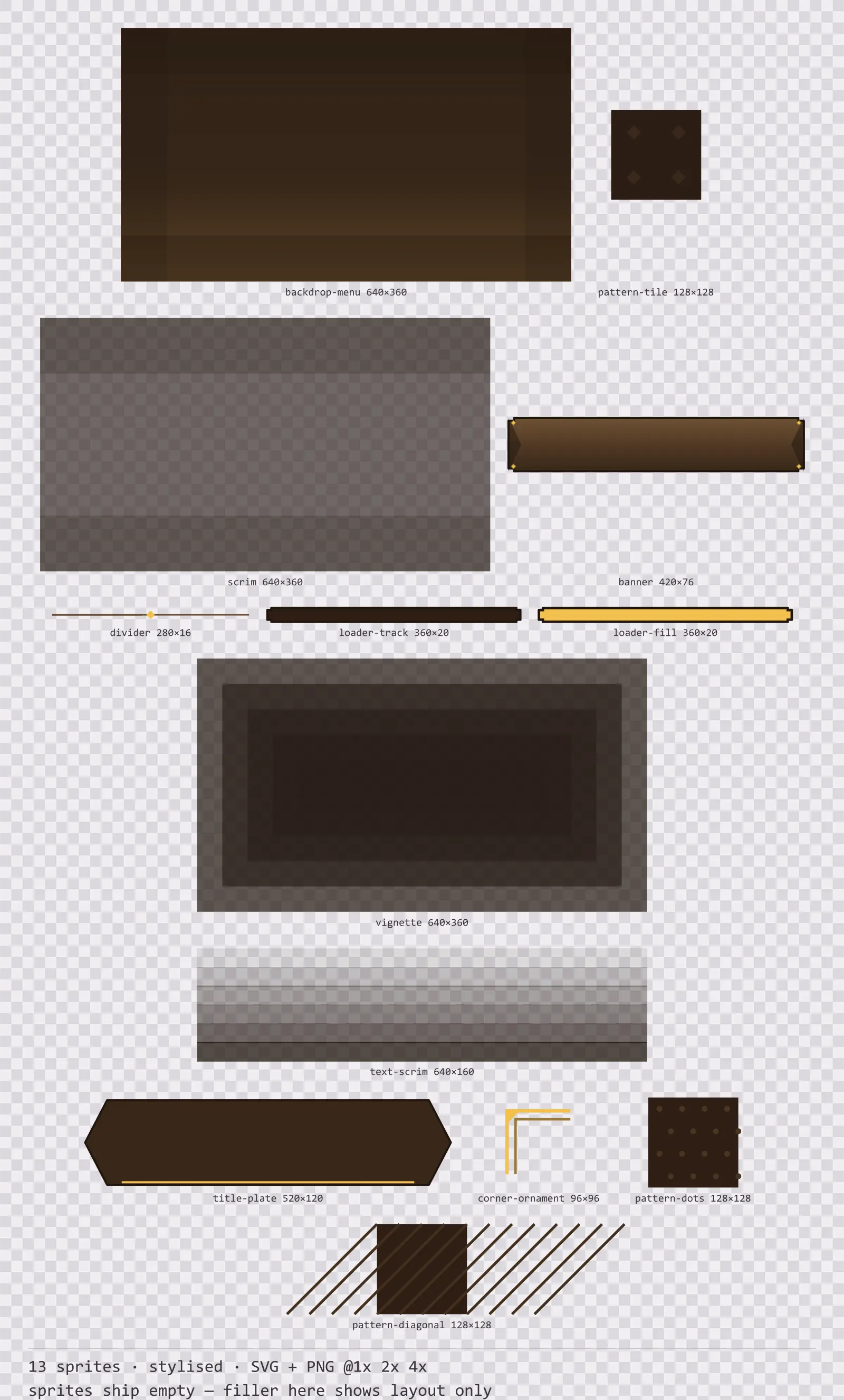
13 stylised background and overlay pieces for dark interfaces — wood-brown with polished brass accents. SVG plus transparent PNG at 1x, 2x and 4x.
About this pack
Oak Backdrops is a set of 13 background and overlay pieces drawn in the stylised style, where the frame is carved, with finials pushing out past the corners and a gem set into each one. It contains a full-screen menu backdrop, three seamless pattern tiles, a modal dimming overlay, an edge vignette and a text scrim, a title plate and a title banner, a screen corner ornament, a section divider and a loading bar track and fill.
This is the piece most free UI kits leave out entirely. A kit that gives you panels and buttons but nothing to put them on stops being useful at the first screen you build, and the backdrop is the one thing you cannot fake with a flat colour without the whole menu looking unfinished.
The ornament is part of the silhouette rather than drawn on top of it, so the frame is recognisable at thumbnail size. The face carries a three-stop vertical gradient — the closest a flat kit gets to a painted bevel.
Inside that style this is the Oak reading of it: a dark interface on a wood-brown palette with polished brass accents, built around two concentric frames, tab-shaped buttons at 160x48, glossy bars divided into 8 segments, and solid icons on a 32px grid. Those measurements are why two families can share an art style without being interchangeable: the style decides how an edge is drawn, the numbers decide what the interface is for.
The backdrop is where an art style has the most room to show itself, so it is drawn differently in each: dithered bands, a triangulated mosaic, hatched paper, an isometric grid, a hard-edged horizon. It ships at 640x360 and exports to 2560x1440 at 4x, which covers 1080p with the aspect held, so it stretches to any resolution with a single cover fit. The pattern tile closes every motif inside its own bounds, so tiling shows no seam.
Every sprite ships as an editable SVG and as transparent PNG at 1x, 2x and 4x, so you can drop the PNGs straight into an engine or open the vector and change a colour. Built to the same measurements as the rest of the Oak family, which means this kit and the Oak panel kit line up without either being resized. A good fit for fantasy and RPG interfaces.
Download
Direct link · no sign-up · no wait pageComplete set — SVG sources, PNG exports at 1x/2x/4x, licence and readme
How to use it
- Use the backdrop with a cover fit rather than stretch — the 16:9 aspect is deliberate and distorting it is visible immediately on a gradient.
- Tile the pattern behind lists and inventory grids at 1x for a fine texture or 2x for a coarse one; it is seamless in both directions.
- Draw the scrim between the game and a modal at full screen. It is the style palette rather than flat black, so it does not grey out a coloured game.
License
Creative Commons Attribution 4.0 — Free for commercial use. Credit required. Full terms · What this means in practice
"Oak Backdrops" by Oğuzhan Girgin, licensed under CC BY 4.0 — https://www.colorosse.com/assets/2d/ui/oak-backdropsAlso browse
More UI Packs
See all →
Aetherlab Backdrops
13 magitech background and overlay pieces for dark interfaces — lab navy with aether cyan accents. SVG plus transparent PNG at 1x, 2x and 4x.

Aetherlab Card Frames
18 magitech card, currency and notification components for dark interfaces — lab navy with aether cyan accents. SVG plus transparent PNG at 1x, 2x and 4x.

Aetherlab Character Sheet
12 magitech character sheet and stat widgets for dark interfaces — lab navy with aether cyan accents. SVG plus transparent PNG at 1x, 2x and 4x.

Aetherlab Crafting UI
13 magitech crafting and recipe widgets for dark interfaces — lab navy with aether cyan accents. SVG plus transparent PNG at 1x, 2x and 4x.