UI Packs
Blocks Dialogue Kit
15 voxel dialogue components for dark interfaces — cool stone with signal orange accents. SVG plus transparent PNG at 1x, 2x and 4x.
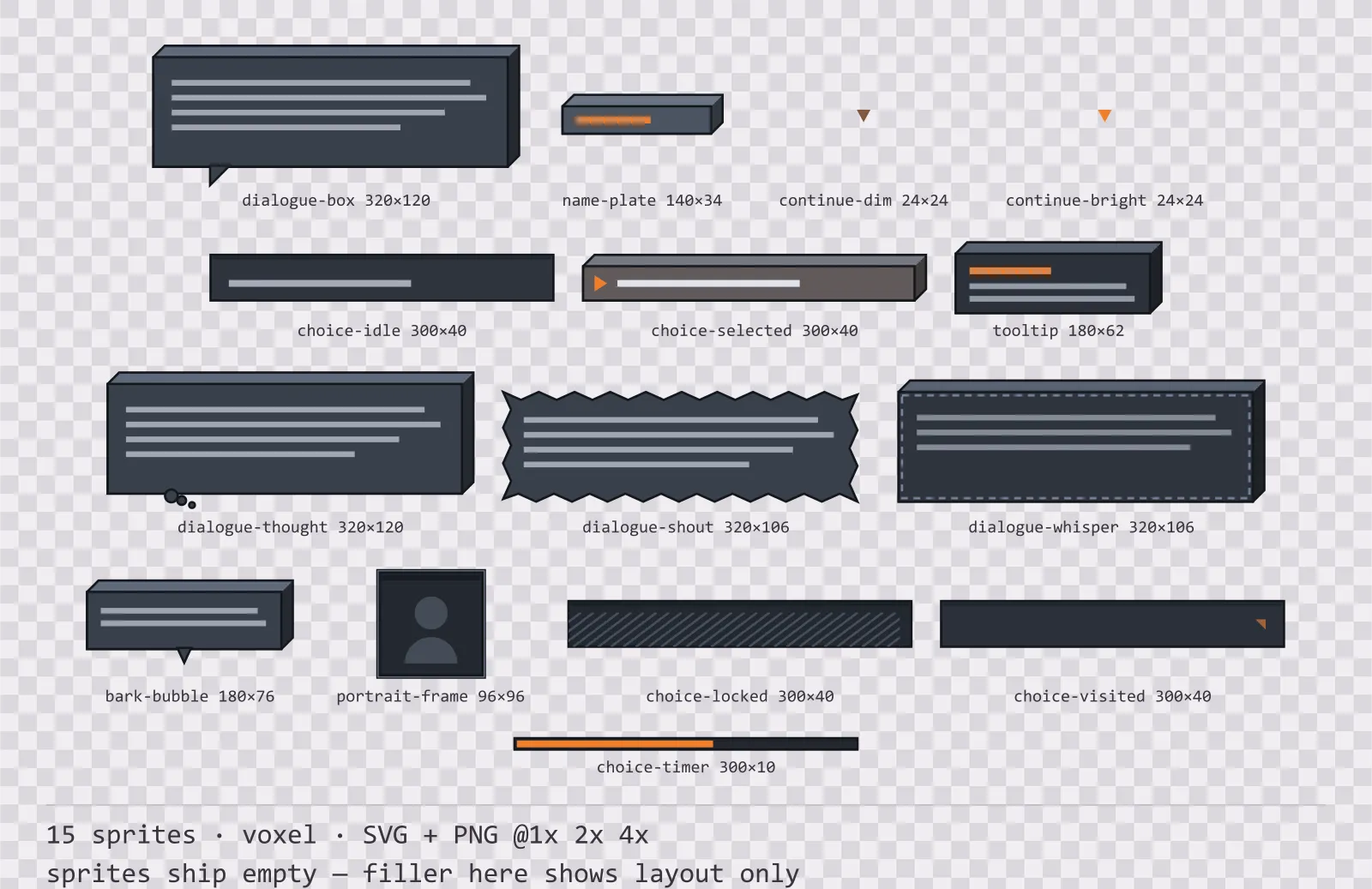
About this pack
Blocks Dialogue Kit is a set of 15 dialogue components drawn in the voxel style, where each surface is the front face of a cube with a lit top face and a shaded right face. It contains speech, thought, shout and whisper boxes, a world-space bark bubble, a speaker name plate and a portrait frame, dim and bright continue indicators, idle, selected, locked and visited choice rows, a timed choice bar and a tooltip panel.
A dialogue box is the single most-read surface in a story game, and it is not the same thing as a window panel: it needs a tail that points at whoever is talking, a name plate that sits on top of it without covering the first line, and a continue indicator with two frames so the engine can blink it.
The extrusion is real geometry rather than a shadow: the light angle never changes, there are exactly three tones per block, and the front face is inset so the cube stays inside its own sprite bounds.
Inside that style this is the Blocks reading of it: a dark interface on a cool stone palette with signal orange accents, built around a single bordered frame, square-cornered buttons at 132x48, tick-marked bars divided into 8 segments, and solid icons on a 24px grid. Those measurements are why two families can share an art style without being interchangeable: the style decides how an edge is drawn, the numbers decide what the interface is for.
The selected choice row is marked by an indent and a pointer rather than by a colour change, so the state survives a colourblind mode and a greyscale shader. That matters more here than anywhere else: choosing the wrong dialogue option is a mistake a player cannot undo.
Every sprite ships as an editable SVG and as transparent PNG at 1x, 2x and 4x, so you can drop the PNGs straight into an engine or open the vector and change a colour. Built to the same measurements as the rest of the Blocks family, which means this kit and the Blocks panel kit line up without either being resized. A good fit for voxel and blocky games.
Download
Direct link · no sign-up · no wait pageComplete set — SVG sources, PNG exports at 1x/2x/4x, licence and readme

How to use it
- Nine-slice the dialogue box on its flat regions and leave the tail in the fixed corner, or it stretches into a wedge when the box grows.
- Blink the continue indicator by alternating the dim and bright frames at about 2 Hz — the two frames exist so you do not have to tint one at runtime.
- Anchor the name plate to the top-left of the dialogue box with a negative offset of about half its height so it overlaps the frame.
License
Creative Commons Zero 1.0 — Public domain. No credit required. Full terms · What this means in practice
Also browse
More UI Packs
See all →
Aetherlab Backdrops
13 magitech background and overlay pieces for dark interfaces — lab navy with aether cyan accents. SVG plus transparent PNG at 1x, 2x and 4x.

Aetherlab Card Frames
18 magitech card, currency and notification components for dark interfaces — lab navy with aether cyan accents. SVG plus transparent PNG at 1x, 2x and 4x.

Aetherlab Character Sheet
12 magitech character sheet and stat widgets for dark interfaces — lab navy with aether cyan accents. SVG plus transparent PNG at 1x, 2x and 4x.

Aetherlab Crafting UI
13 magitech crafting and recipe widgets for dark interfaces — lab navy with aether cyan accents. SVG plus transparent PNG at 1x, 2x and 4x.